Contacts
The main interface page of Contacts displays the following sections:
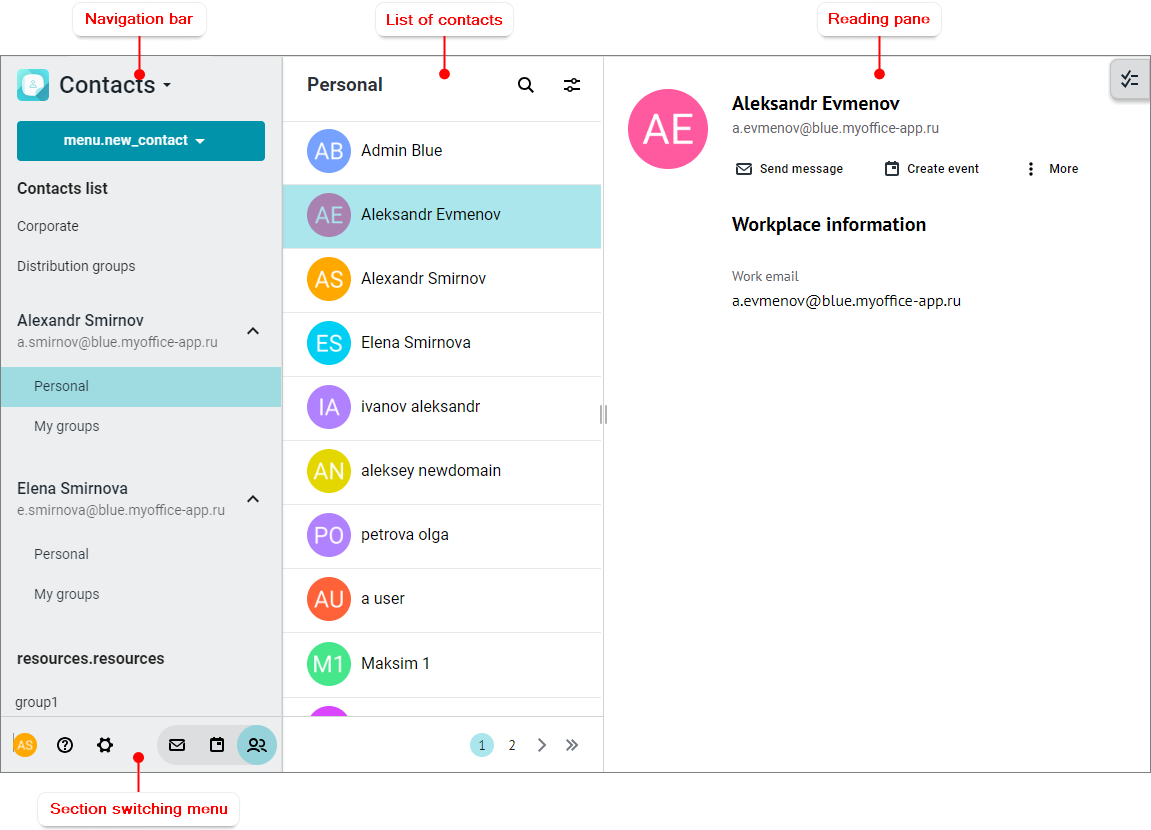
Navigation bar
The Navigation bar includes the following interface elements: 1. 2. 3.Shared contact lists: •Corporate: Contains contacts of colleagues. •Distribution groups: Contains contact groups created by the administrator. 4.Contact lists for each of the internal accounts: •Personal address book: Contains contacts contacts created by the user. •My groups address book contains groups of contacts created by the user. 5.Resources available to the user: •Resources: Contains contacts of meeting rooms (to be filled in by the administrator). •Resource groups: Contains groups of meeting rooms (to be filled in by the administrator). At the bottom of the Navigation bar you can find the section switching menu. When you select an address book in the Navigation bar, the list of contacts displays the contacts that are stored in this address book. |


List of contacts
The list of contacts contains the following elements: 1.A toolbar with the following items: •Name: The name of the active address book. • • 2.Mini-panes of contacts of the active address book. 3.
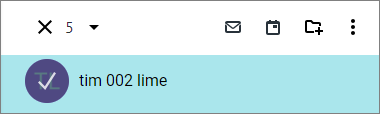
Contacts in the list are sorted in alphabetical order of email addresses. Contacts that do not have an email address are put at the end of the contact list. Each contact's mini-pane displays the following: •Name or email address of the contact or group. If there are a large number of contacts, the list is automatically divided into several pages. Each page displays the number of contacts specified in the settings. The pages are navigated using the pane at the bottom of the list. Clicking the If there are selected contacts in the contacts list, the number of contacts is displayed instead of the address book name, and a toolbar appears to work with the selected contacts:
The toolbar for working with selected contacts contains the following buttons: 1. 2. 3. 4. When you select a contact in the contacts list, information about that contact / group / resource is displayed in the Reading pane. The active (that is, currently selected) address book is highlighted in the Navigation bar. |







Reading pane
The Reading pane displays information about the active contact/group/resource selected in the interface workspace, and the button Above the Reading pane is the toolbar for working with the contact: • • • |

The section switching menu is the same for all sections of the MyMail web application.
