How can we help you?
Indicate new email sensitivity
Product:
Application:
When creating an email, you can set its sensitivity level. By default, all emails are sent with the Default sensitivity level.
To change the sensitivity level of the email, do the following:
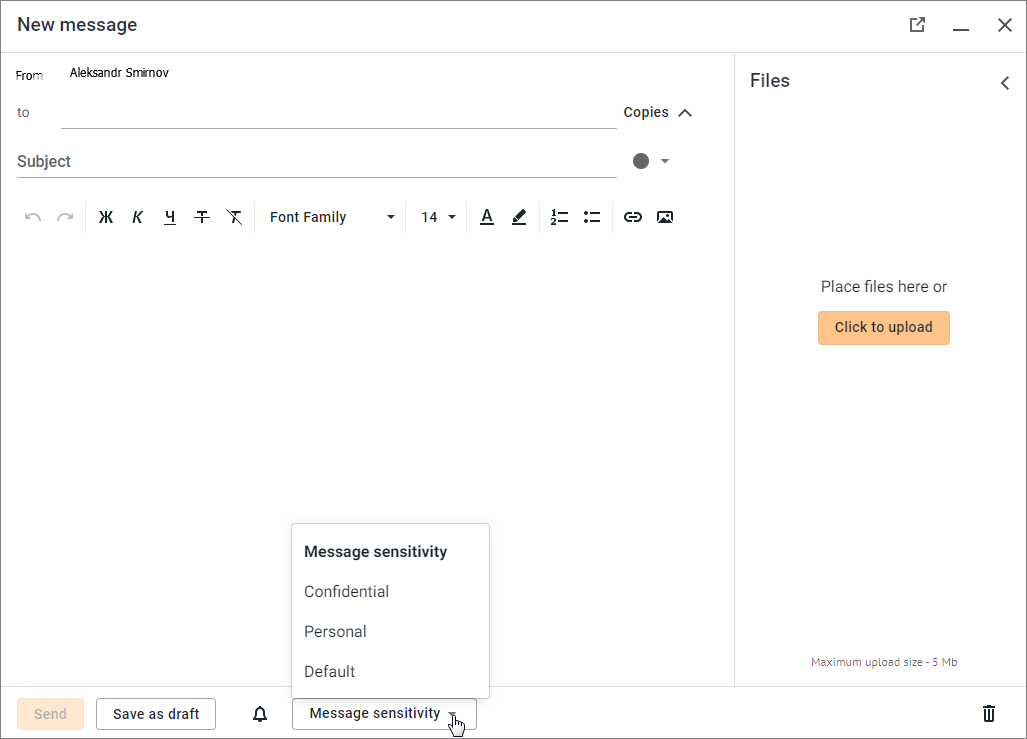
1.Click the button Message sensitivity at the bottom of the New message window.
2.In the opened list Message sensitivity, select the desired value:
If the email sensitivity level is other than Default, information about its level of sensitivity ( Personal and
  Confidential) is displayed:
–On the email snippet in the List of emails.
–When the email is opened by the recipient — in the body of the email, as well as to the left of the date and time of the email.
Was this helpful?
Yes
No
