Insert a link
The  button on the formatting Toolbar is intended for inserting a URL link or converting a selected text fragment into a hyperlink to the specified URL.
To insert a hyperlink into the text, do the following:
1.Click . A window will open to create a hyperlink .
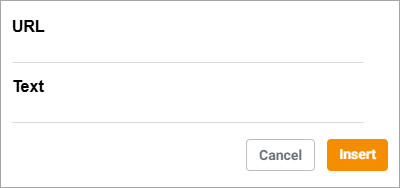
2.Enter the URL in the URL field.
3.If before clicking the button the text fragment was not selected, enter the text of the future hyperlink in the Text field. If a text fragment was selected, it will be displayed in the Text field and can be edited.
4.Click Insert. A hyperlink will be added to the text of the email.
To change or delete a hyperlink, do the following:
1.Click on the hyperlink with the left mouse button. A menu will open :

2.Select the desired action:
• : Follow the link
• : Edit the link
• : Delete the link
