How can we help you?
Remove the selection
Product:
Application:
To deselect one email, use any of the following methods:
–Left-click on the avatar in the snippet of the selected email.
–Select the email and press the keyboard shortcut Ctrl+Backspace.
To clear all emails on the current List of emails in the page, use any of the following methods:
–Clear the  check box on the Toolbar.
–Press the keyboard shortcut Ctrl+A.
Please note that emails on other pages of the List of emails will remain selected.
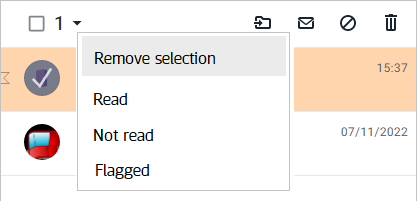
To clear all emails in the current folder, open the List of emails menu and select Remove selection:
Was this helpful?
Yes
No
