Specify the sender
To send emails on behalf of another user (from a different email address), it is necessary connect an additional account. After that, when creating a letter in the field From you will have the option to select a sender from the list of connected accounts.:
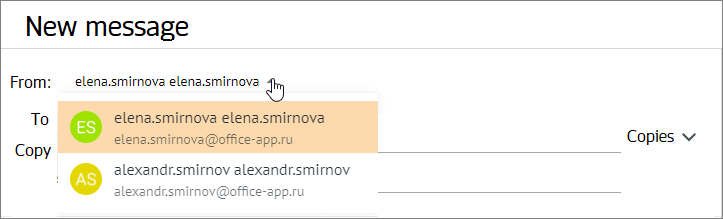
Sometimes there may be a need to send emails from different addresses within a single account. For example, this can be useful for:
–Obtaining additional privacy.
–Settings for receiving emails on specific topics.
–Sorting incoming emails by specific criteria (mailings, news from companies).
–Gaining the ability to send emails not from the default address.
In such cases, it is convenient to use mail aliases (pseudonyms) — additional email addresses linked to the user's account. An alias can be created by the administrator upon your request. After creating the alias, you will receive an email with the following content:
The administrator has added an additional email address for you: |
|---|
The list of aliases is not displayed in the user profile settings but can be used when sending an email. If you have additional addresses besides your main one, they are displayed in the drop-down list of the field From.
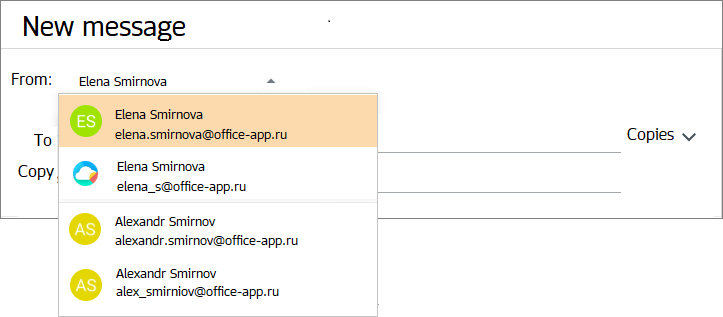
Properties of additional addresses:
–To use an additional email address, you need to log in to MyOffice Mail web application with the login and password of the main account.
–Emails received simultaneously on the default address and on additional addresses are displayed as a single email in the Inbox folder.
–For an email sent from an additional address, the owner of the default address will be indicated as the sender, and the sender's avatar will use the avatar of the primary account.
–For additional addresses, the following are used: profiles created for the main account.
