How can we help you?
Delete contacts from group
Product:
Application:
You can only delete contacts from groups created by the user.
To delete a contact from a group, do the following:
1.In the List of contacts, select the group from which the contact needs to be deleted.
2.On the Toolbar of the Reading pane, click  More and select Edit.
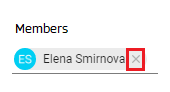
3.In the opened window Editing a contact, click  to the right of the name of the contact to be deleted:
4.Click Save.
After deleting a contact from a group, it remains in the general the List of contacts, in the Личные address book.
Was this helpful?
Yes
No
