How can we help you?
Change the calendar order in the Navigation bar
Product:
Application:
By default, user-created calendars are listed in the account's calendar list in the order they were created.
The order of the calendars in the list can be changed (except for the default calendar). To do this:
1.Point to the name of the calendar. The calendar row will be highlighted in color, and the cursor will look like  .
.
2.Click the left mouse button and, without releasing it, move the calendar to the desired location in the calendar list:
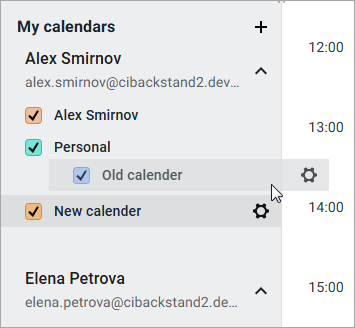
3.Release the left mouse button.
The calendar set as the main one is always displayed first in the account's calendar list. You cannot change the position of the calendar in the list!
Was this helpful?
Yes
No
