How can we help you?
Select the pivot table layout
Application:
From the Pivot table layout drop-down list, you can select one of the following layouts:
•Compact: Data for all fields in the Rows area is displayed in the first column of the pivot table in a hierarchical manner. The greater the nesting level of a field in the Rows area, the greater the indentation of its data in the first column of the table. The Compact layout is used for pivot tables by default.
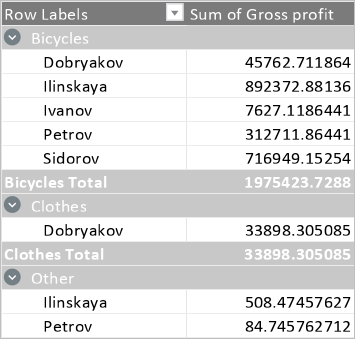
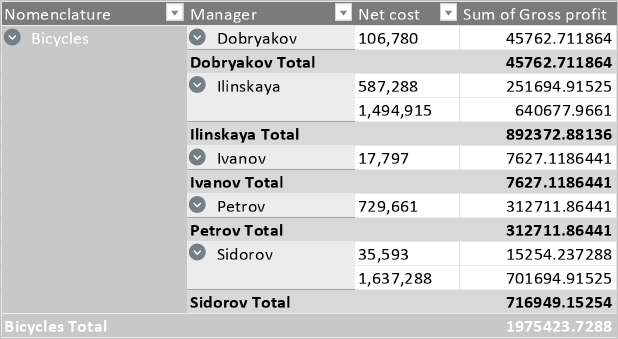
•Tabular: Data of each field from the Rows area is displayed in a separate column. The column names correspond to the field names. The column names correspond to the field names.
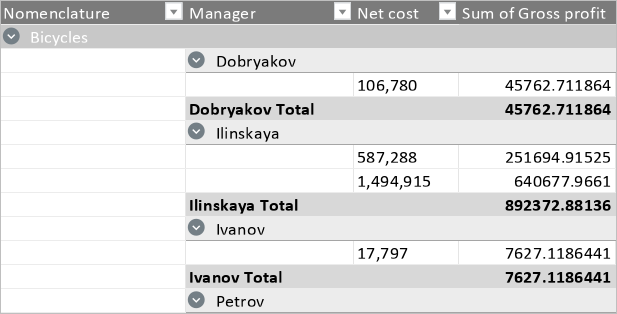
•Outline: Data of fields are arranged as in the Tabular layout, with each column displaying data one row lower than the previous one.
Was this helpful?
Yes
No
