Delete borders
To delete the specified borders of a cell/range of cells/table, follow the steps below:
- Select the desired table or cell or range of cells.
- On the Home tab, in the Table group, click the arrow to the right of the
 Cell borders button.
 - In the border settings pane that opens:
- In the first block of settings, specify where you want the borders to be deleted.
- In the second block of settings, select No borders.
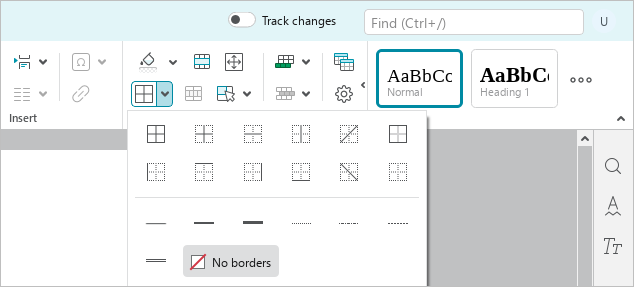
- To close the border parameters pane, do one of the following:
- On the Home tab, in the Table group, click the arrow to the right of the Cell borders button.
- Click a blank area of the document outside the border settings pane.
- On the Home tab, in the Table group, click the arrow to the right of the