Insert a line
To insert a line into a document, do the following:
- On the Insert tab, click
 Shape.
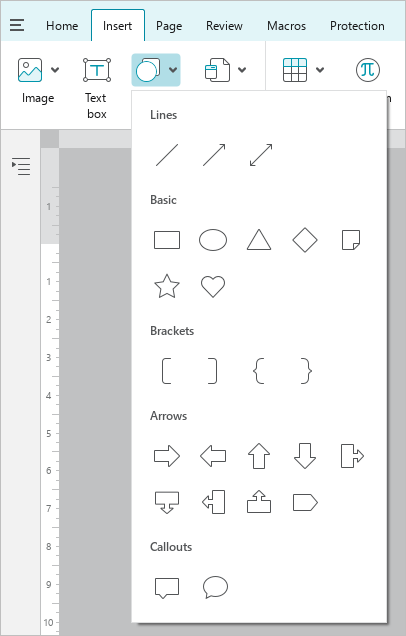
-
Select the type of line to insert: line, arrow, double-sided arrow. The cursor will look like a crosshair
 .
. -
If needed, select the arrowhead type.
-
Add a line in one of the following ways:
- Click the left mouse button on the place where the line start point should be located. A line with a length of 4.24 cm and an angle of 45° will be added to the document.
- Hold down the left mouse button and draw a line in the desired location of the document. To finish drawing, release the left mouse button.
-
If needed, edit the length and the angle of the line.
By default, the line is inserted before the text. You can change the position of the line manually.