Delete a link
The link can be deleted using the edit window or the context menu. The link is deleted without the text that contains it.
To delete a link using the edit window, follow these steps:
-
Place the cursor on the link or select a part of the link/the entire link.
-
Open the link editing window in one of the following ways:
- On the Home tab, in the Insert group, click
 Link.
Link. - On the Insert tab, click
 Link.
Link. - Right-click to open the context menu and select the Edit link command.
- Press
Ctrl+K.
- On the Home tab, in the Insert group, click
-
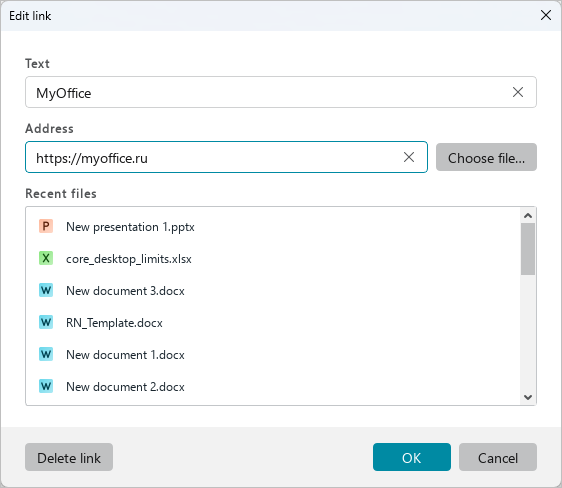
In the Edit link window, click Delete link.
To delete a link using the context menu, follow these steps:
- Place the cursor on the link or select a part of the link/the entire link.
- Right-click to open the context menu and select the Delete link command.
To delete multiple links at the same time, follow these steps:
- Select the text fragment containing these links.
- Right-click to open the context menu and select the Delete links command.
If you want to delete a link along with the text that contains it, delete it as plain text.