Show system bookmarks
When you create a cross-reference to a heading or numbered list in a document, a system bookmark is automatically created. For example, if a cross-reference to Heading 1 is created, Heading 1 becomes a system bookmark. System bookmarks are marked in the document with non-printable characters similar to regular bookmarks:  .
.
To see the entire list of system bookmarks, follow these steps:
- On the Insert tab, click
 Bookmark.
 - In the Bookmarks window, select the Show system bookmarks checkbox.
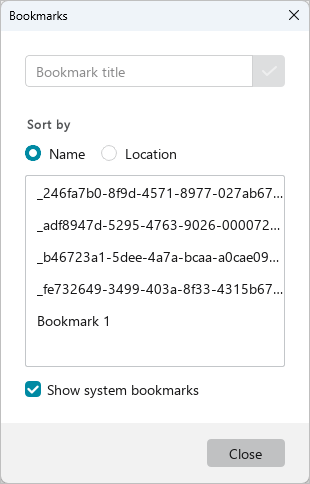
System bookmarks are displayed in the same list as manually set bookmarks. You can work with system bookmarks in the same way as with regular bookmarks.