Change a button to run a macro
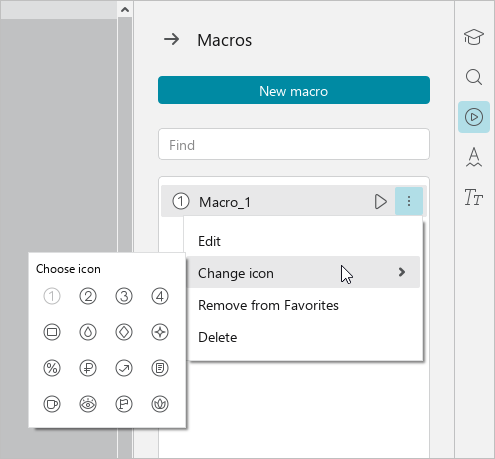
- To change the button to run a macro, follow the steps below:
- On the right sidebar, click
 Recovered files.
 - Hover the mouse cursor over the name of the desired macro and click
 More.
More. - In the drop-down list, hover your mouse over the Change icon option.
- In the pane that appears, choose the new icon for the button to run the macro.