Select the print area
You can print:
- The selected part of a document.
- The entire document or its individual pages.
To print the selection, do the following:
- Select the desired text.
- Right-click to open the context menu and run the Print selection command.
To print the entire document or its individual pages, do the following:
- Click the
 button and run the Print command from the main menu.
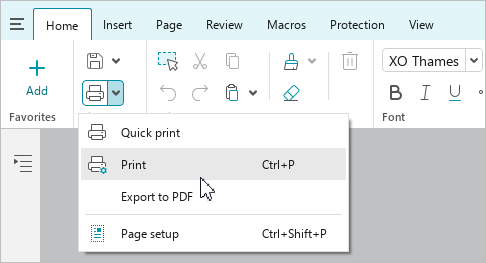
 - On the Home tab, in the File group, click the arrow to the right of the
 Print button and run the Print command.
- Press
Ctrl+P.
The Print settings window opens, where you can see how the document will be printed and define the print settings.