Create a macro
To create a macro, follow these steps:
- Add a new macro using one of the following methods:
- On the Macros tab, click
 ** Macro editor**. In the Macro editor window, click
 .
- On the Macros tab, click

•If there is at least one macro in the document, click  Macros on the right sidebar. In the Macros pane, click New macro.

- Enter a name for the macro or leave the default name. To save the name, press
Enteror click anywhere in the Macro editor.

- Enter the code of the macro.
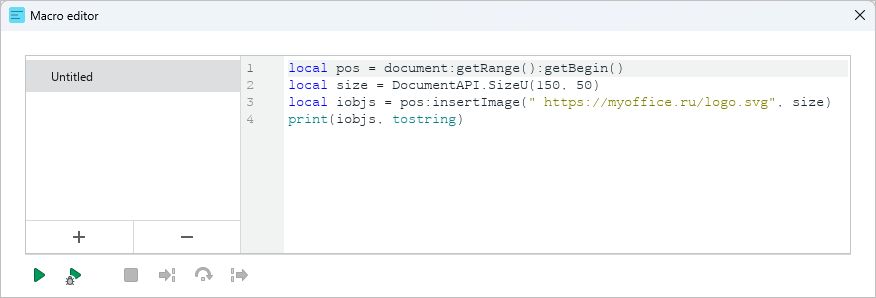
The new macro will be saved automatically.
When you add the first macro to your document, on the right sidebar, the Macros button appears. This button is displayed as long as there is at least one macro in the document.
Click Macros to open Macros pane.
To close the Macros pane, click the  button at the top of the pane, or click Macros on the right sidebar again.