Hide or display the Favorites section
To hide the Favorites group of tools, do one of the following:
- Click the
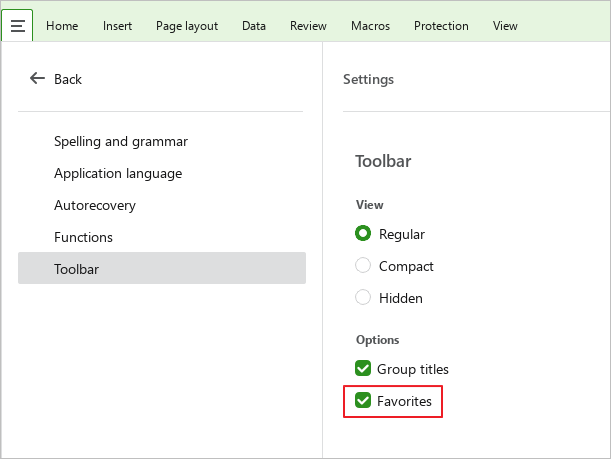
 button and run the Settings from the main menu. In the Settings pane, in the Toolbar block, clear the Favorites checkbox.
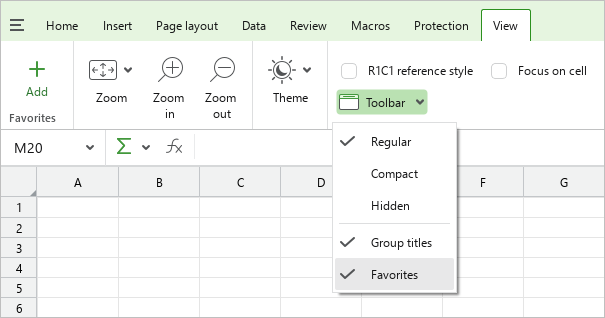
- On the View tab, click
 Toolbar and clear the Favorites checkbox.
- If the Favorites group is empty, hover the mouse cursor overs
 Add and click
  in its upper right corner.

To display a group of tools, re-select the Favorites checkbox in the Settings pane or on the View tab (see above).
tip
The Favorites checkbox is disabled if the content of the Toolbar tabs is hidden.