Font size
To change the font size, follow these steps:
- On the Home tab, in the Font group, click the arrow to the right of the size of the current font.
- In the list that expands, select the desired font size.
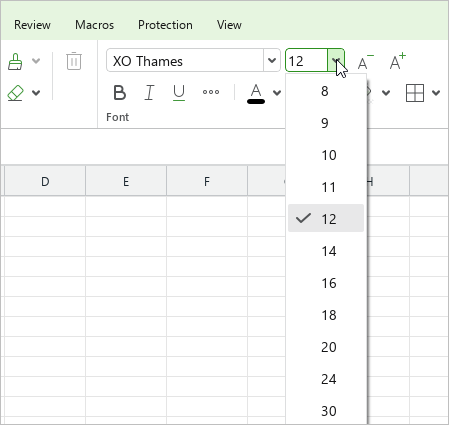
If the required size is not on the list, you can set it manually. To do this, proceed as follows:
- On the Home tab, in the Font group, select the current font size value.
- Enter the required value. Use a dot (.) as a delimiter for fractional values. For example, 21.5.
- Press
Enter.
To change the font size by one point, on the Home tab, in the Font group, click  Increase font size or
  Decrease font size.