Revoke access to a file
A user with Owner or Manage access level can revoke access permissions granted to other users, except for the file's Owner.
tip
If the Owner of the file is deleted from the system by the administrator, a mark (inactive) is displayed to the right of his/her name.
To do this, follow these steps:
-
Open the file in the cloud.
-
Open the Sharing settings window in one of the following ways:
- Click the
 button and run the Share command from the main menu.
 - On the Protection tab, click
 Sharing settings.
- Click the
-
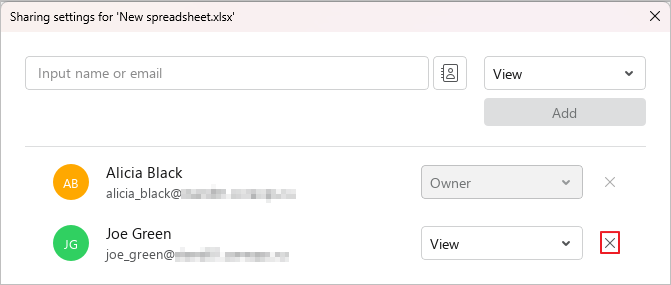
In the window that opens, click
 Revoke permission next to the names of the users whose access to the file you want to revoke.
- Click Close.