Insert a table
To add a table to a slide, follow these steps:
- Select a slide on the Slide bar.
- On the Insert tab, click
 Table.
 - Use the cursor to select the number of columns and rows that the table should contain and left-click.
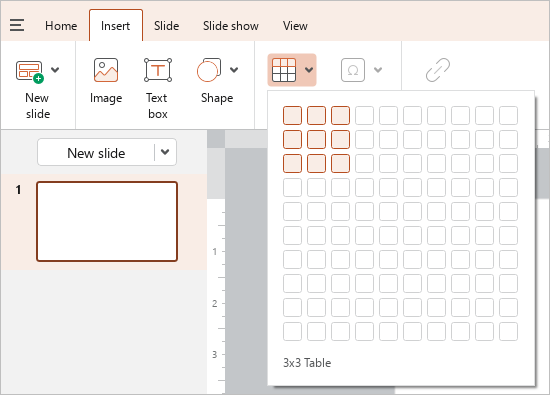
By default, the table is inserted in the center of the slide. Once inserted, you can move it manually to the desired location on the slide.