Delete columns or rows
To delete one or more columns or rows, use one of the following methods:
- Select the columns or rows or cells located in them. Then do one of the following:
- On the Home tab, in the Table group, click the arrow to the right of the button for deleting columns and rows. Run the Delete row or Delete column command.
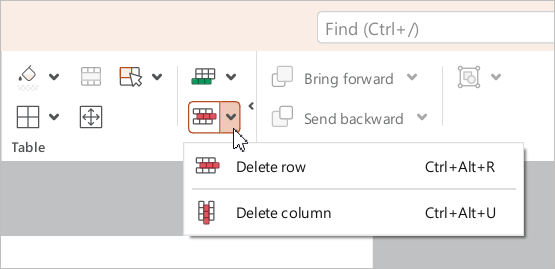
•Right-click anywhere in the selected range and run Delete row or Delete column command from the context menu.
•Press Ctrl+Alt+U to delete one or more columns. Press Ctrl+Alt+R to delete one or more rows.
- Select these columns or rows in their entirety and press
Ctrl+—.