Presenter view
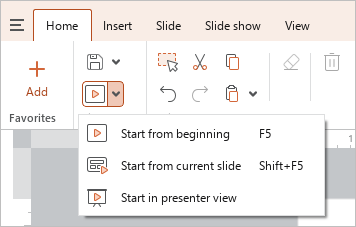
To start a demonstration on a single-monitor computer (for example, when preparing for a presentation), do one of the following:
- On the Home tab, in the File group, click the arrow to the right of the
 Start button and run the Start in presenter view command.
- On the Slide show tab, click
 ** Start in presenter view**.
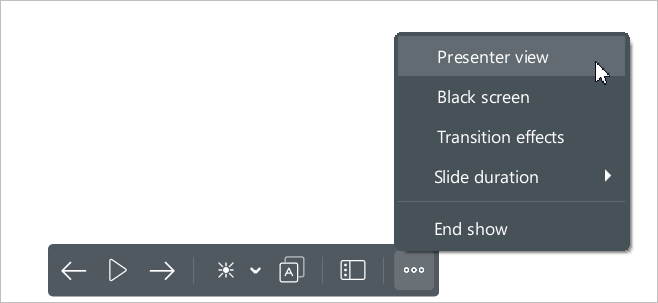
 - Start the presentation demonstration in normal view in any way that is convenient for you. On the Control bar, click the
 button and run the Presenter view command.
To start a demonstration on a computer with two monitors, do one of the following:
- On the Home tab, in the File group, click the arrow to the right of the Start button and run the Start in presenter view command.
- On the Slide show tab, click ** Start in presenter view**.
- Start the presentation demonstration in normal view in any way that is convenient for you. The Presenter view will be enabled automatically.