Move an element
To change the position of an element in the Favorites group, follow these steps:
- Right-click the item to open the context menu.
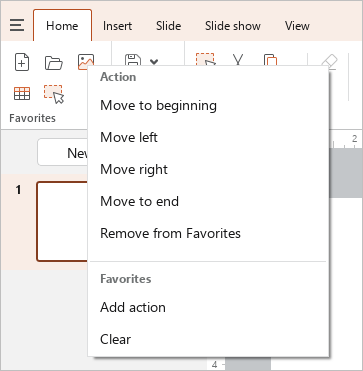
- In the context menu, select the desired command:
- Move to beginning: Make the selected element the first in the group.
- Move left: Swap the selected and previous element.
- Move right: Swap the selected and subsequent element.
- Move to end: Make the selected element the last in the group.