Remove an element
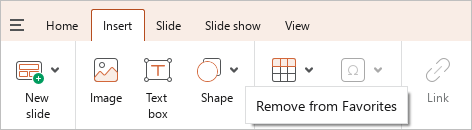
To remove an element from the Favorites group, right click it and run the Remove from Favorites command.

You can also follow the steps below to delete a button added from the Toolbar:
- Right-click the button on the tab from which it is added.
- Run the Remove from Favorites context menu command.