Language
The language of MyPresentation is determined by the default language of the operating system.
If necessary, the application language can be changed by the system administrator or the application user. If the language is changed by the administrator, the language selection settings are blocked for the user.
The following languages are available for selection:
- English
- Russian
tip
When you change the language of MyPresentation, the same language is automatically set for MyText and MySpreadsheet.
To change the application language, follow the steps below:
- Click the
 button and run the Settings command from the main menu. In the Settings pane, in the Application language block, click Change.
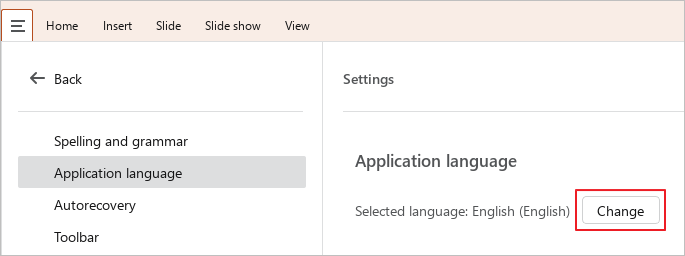
- In the displayed window, select the desired language from the drop-down list and click OK.

- A window containing the “The change will take effect after restarting the app” message will appear on the screen. Click OK.
- Restart MyPresentation, MyText and MySpreadsheet.