Main menu
The main menu contains:
- Button to log in and out of the cloud.
- Button to subscribe with a free 21-day trial period. If the subscription is active, the button is not displayed.
- Commands for working with files and the application.
- Application settings.
To open the main menu, on the Toolbar, click the  button.
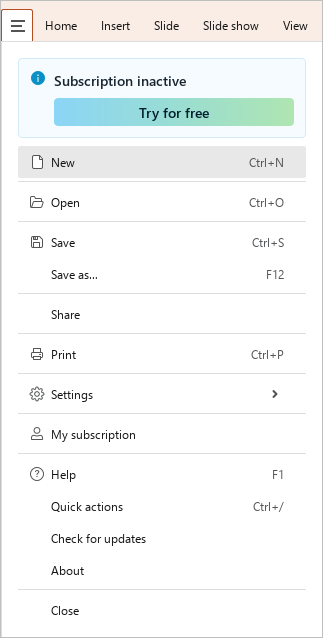
The main menu closes automatically after selecting a command or clicking any button in the application settings. To close the menu manually, do one of the following:
- Click the button.
- Click anywhere outside of the main menu.
- Press
Esc.
To work with the main menu, use the following keyboard keys:
| Keyboard shortcut | Description |
|---|---|
↓ and ↑ | Go to the next or previous menu item |
→ | Open the sub-menu of the selected command (if available) |
Tab | Go to the right side of the menu |
Shift+Tab | Go to the left side of the menu |
← | Go to the left side menu from the right side of the Recent documents or My subscription menu |
Space | Click the button, select the checkbox, select a setting from the settings group |
Enter | Run the selected command or open a recent document |
Esc | Close the main menu |