Paste a slide
You can copy, cut and paste slides:
- Within the current presentation.
- Between presentations, provided that both presentations are created in MyPresentation application.
To paste a cut or copied slide that is on the clipboard, follow these steps:
- On the Slide bar, select the slide after which you want to paste a slide from the clipboard.
- Run the Paste command in one of the following ways:
- On the Home tab, in the Edit group, click
 Paste.
 - On the Home tab, in the Edit group, click the arrow to the right of the Paste button and select Paste as image command from the drop-down list.
- On the Home tab, in the Edit group, click
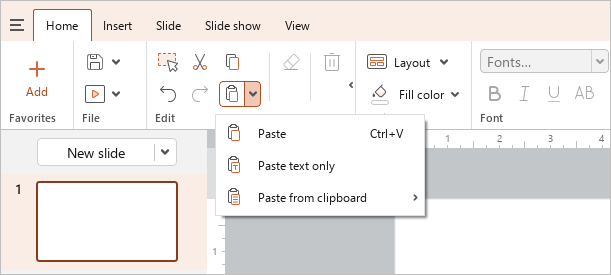
•On the Slide bar, right-click the selected slide and run the Paste command from the context menu.
•In the workspace, right-click any space on the slide and run the Paste command from the context menu.
•Press Ctrl+V or Shift+Insert.