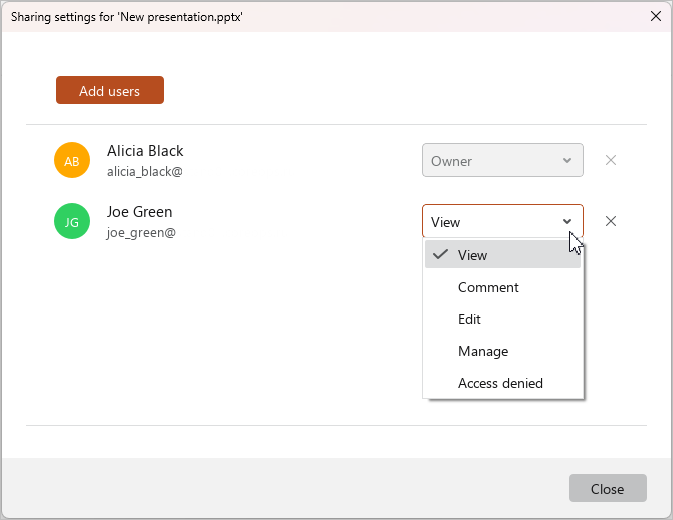
Change sharing settings
The file access level can be changed by:
- The file Owner: For any user.
- A user with Manage permissions: For any user except the file Owner.
tip
If the Owner of the file is deleted from the system by the administrator, a mark (inactive) is displayed to the right of his/her name.
To change sharing settings, do the following:
-
Open the file in the cloud.
-
Click the
 button and run the Share command from the main menu.
 -
Use the drop-down lists to specify the required access levels for users: View, Edit, or Manage.
-
If you need to deny access, do one of the following in the line for the required user:
- In the drop-down list, select Access denied.
- Click the
 button.
-
Click Close to close the Sharing settings window.