Ruler
The ruler is displayed above and to the left of the slide. You can use it to quickly add guides to the slide.

To hide the ruler or show a previously hidden ruler, do one of the following:
- On the View tab, click the arrow to the right of the
 Alignment button and select or clear the Ruler checkbox.
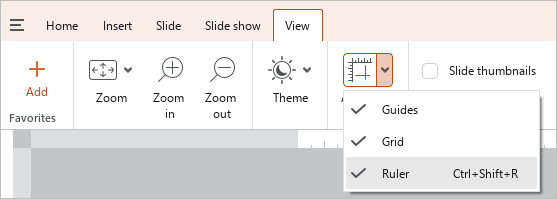
- Press
Ctrl+Shift+R.