Show or hide guides
To display or hide only guides, on the View tab, click the arrow to the right of the  Alignment button and select or clear the Guides checkbox.
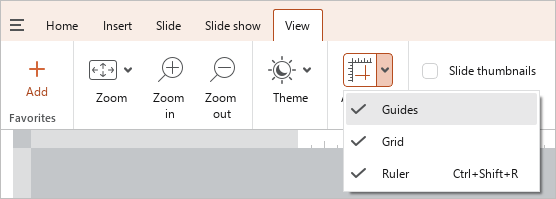
To display or hide both guides and grid at the same time, press Shift+F9.
tip
If the Guides checkbox is cleared and a new guide is added to the slide, the checkbox is automatically selected and all guides on the slide become visible.