Log in to app
To launch the application and connect your account:
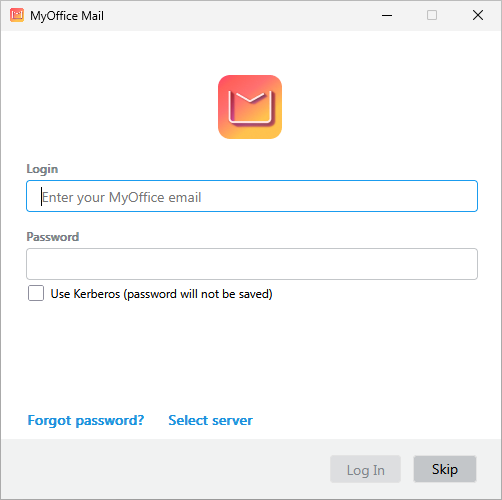
- Open the MyOffice Mail application in the application menu of your OS. The application login window will open.
-
Enter the e-mail address and password for your MyOffice Mail account.
-
If necessary, check the Use Kerberos (password will not be saved) checkbox.
-
If you want to enter the address of the auto configuration server, follow the steps:
-
Click the Log In button.
If you successfully connect to the auto configuration server, your account and its data will be connected to the application. The Main Window of the application will open.
If you enter incorrect credentials several times, a CAPTCHA test will appear that you must pass to try to log in to the application again.