Select default address book
To select the default address book:
- On the Address Book tab, on the Address Book Pane, right-click the desired address book. A context menu opens.
- In the context menu, select Default startup directory.
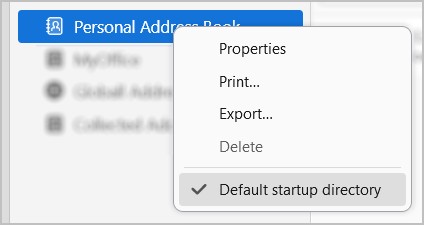
The selected address book will be opened by default when you go to the Address Book tab.