Edit a calendar
You can change the name, description or color of the calendar.
To edit the calendar, do the following:
- Point the cursor to the calendar line and click on the
 button that appears.
 - In the window that opens, make the desired changes: name, description, color.
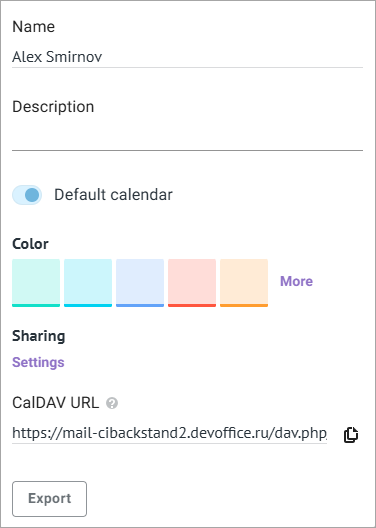
- Click anywhere on the screen outside the form you were editing. The editing window will close, and your changes will be applied.
In the calendar editing window, you can also do the following:
- Set the calendar as main
- Provide access to the calendar to other users
- Get a link to the calendar
- Export the calendar in the .iCalendar format
- Delete the calendar